Settings window
A tour of the settings window — what's in it, how to navigate.
Overview
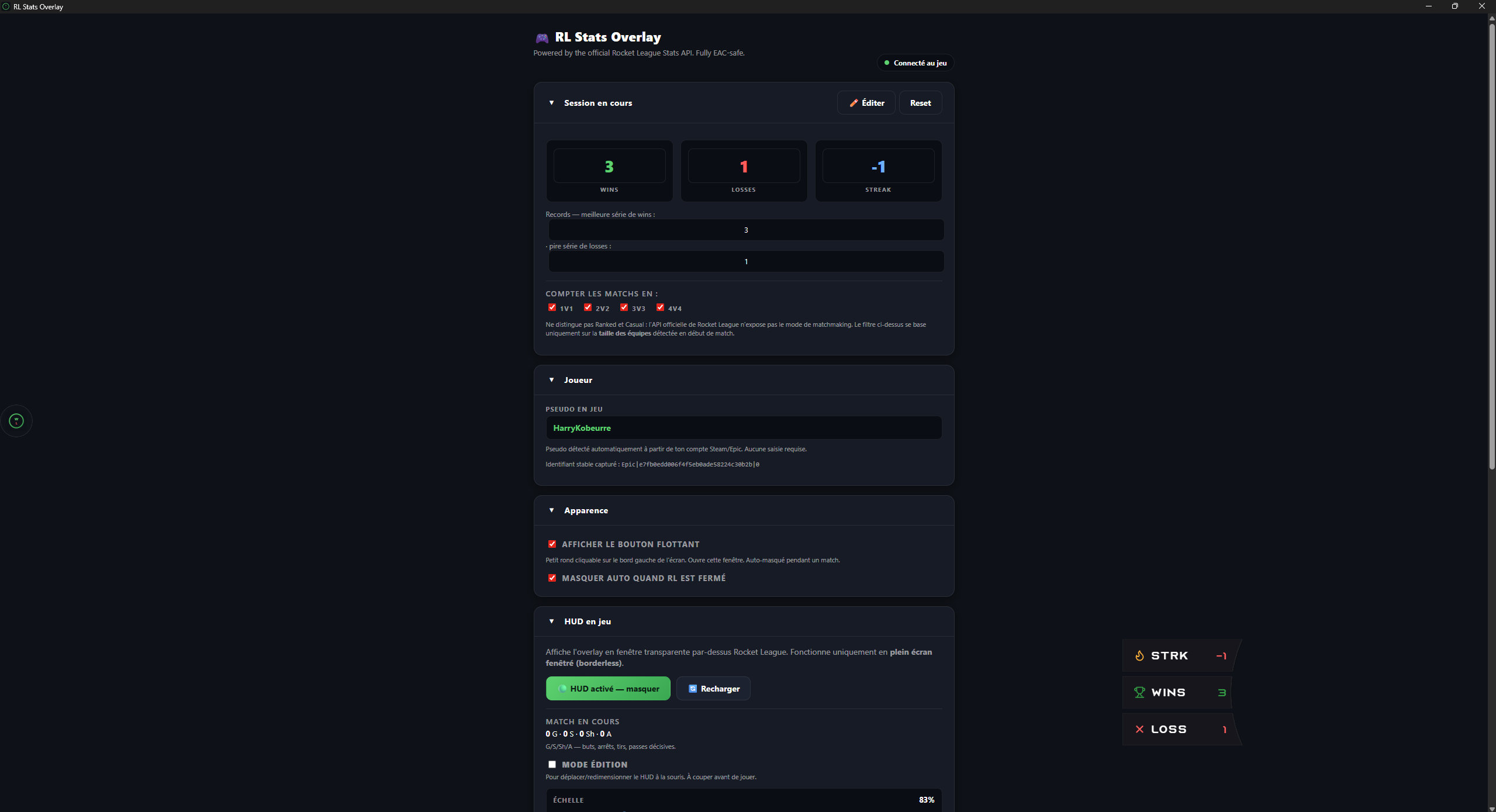
The window is organized into 6 collapsible sections:
- Current session — wins / losses / streak + team size filter.
- Player — in-game name + captured stable identifier.
- Appearance — floating launcher, HUD auto-hide.
- In-game HUD — show/hide HUD, edit mode, scale, X/Y/W/H, current-match stats.
- OBS Browser Source — URL to paste into OBS, copy/preview.
- Theme — active theme + all theme overrides.
Collapsible sections
Each section is an HTML <details> — click the title to fold or unfold. A chevron to the left of the title rotates 90° when the section is open.
Brief summaries (when collapsed)
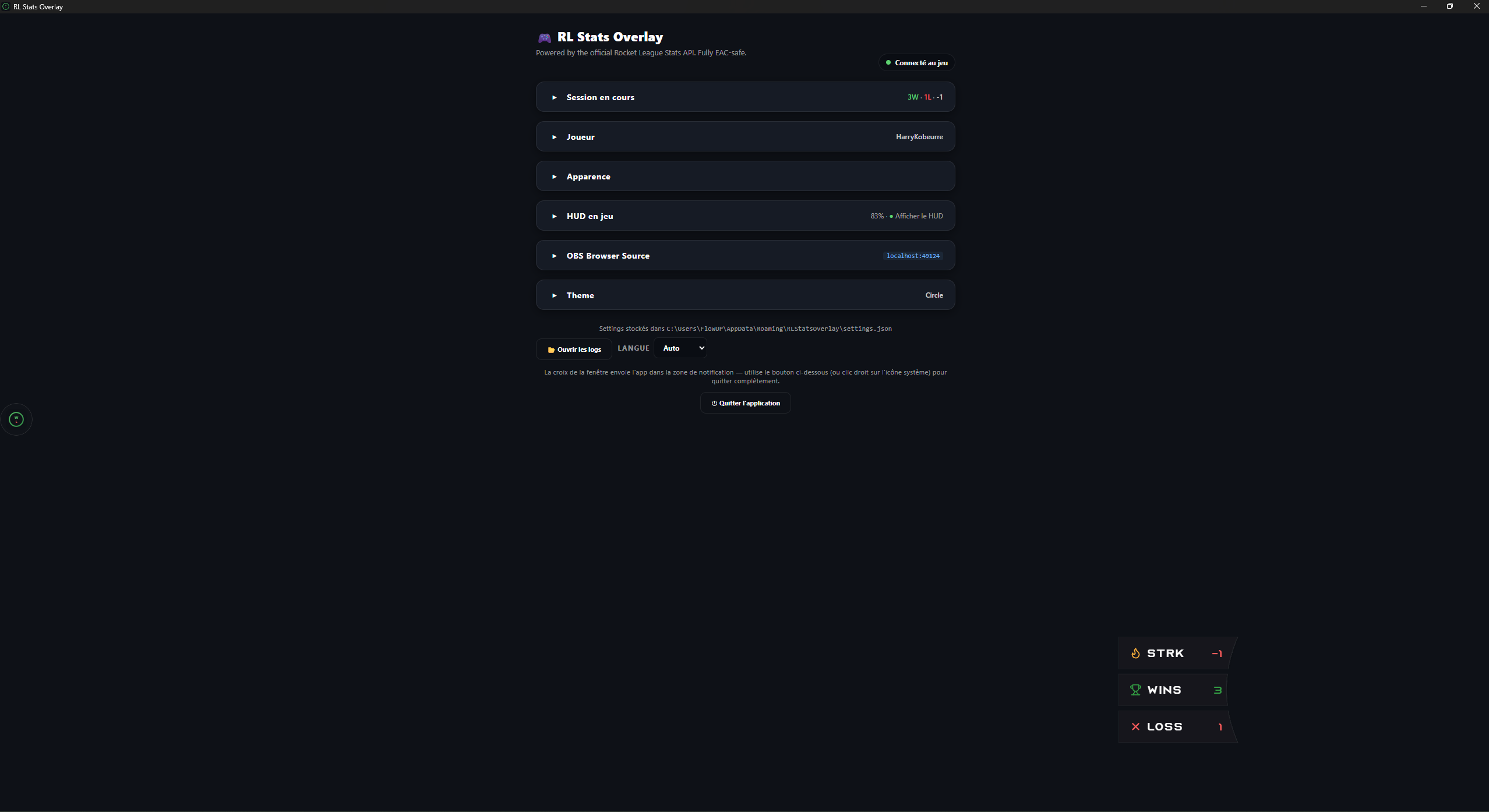
When a section is collapsed, a brief summary stays visible to the right of the title. It gives you the key info without unfolding:
| Section | Collapsed summary |
|---|---|
| Current session | 12W · 5L · +3 (green/red W/L colors) |
| Player | Your in-game name in white |
| Appearance | (none) |
| In-game HUD | 120% · ● Show HUD |
| OBS Browser Source | localhost:49124 |
| Theme | Active theme name (e.g. Circle) |
When the section is open the summary disappears (the data is already visible in the body) — no duplication.
State persistence
The open / closed state of each section is saved in WebView2's localStorage (key panel:<id>). On every app restart, sections recover their previous state.
Section details
Current session
- Wins / Losses / Streak shown in large numbers, with green/red colors based on streak direction.
- ✏️ Edit button for manual corrections (useful after a mid-match crash or missed event).
- Reset button to start fresh.
- Count matches in filter: 1v1 / 2v2 / 3v3 / 4v4 — doesn't distinguish Ranked vs Casual (the Stats API doesn't expose the mode), but at least lets you scope the session to a team size.
Player
- In-game name + stable identifier captured on first match (format
Steam|123|0orEpic|abc|0). - If Steam/Epic is auto-detected, no input is needed.
- The identifier survives in-game name changes — captured once, kept forever.
Appearance
- Show floating launcher — see Floating launcher.
- Auto-hide when RL is offline — see Auto-hide.
In-game HUD
- See In-game HUD and Edit mode.
OBS Browser Source
- See OBS Browser Source.
Theme
- See Themes.