Edit mode
Edit mode is a single toggle that flips the HUD between two states:
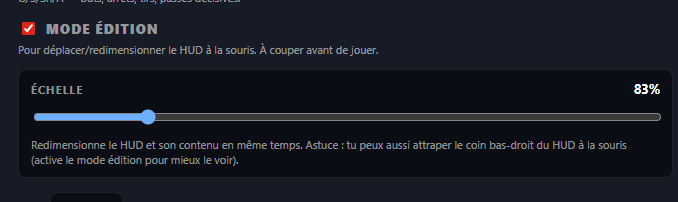
- On — you move and resize the HUD with the mouse (drag, grip, slider).
- Off — the HUD becomes discreet and click-through (mouse inputs pass to the game, ideal during gameplay).
Turn edit mode on
- Open RL Stats Overlay.
- Expand the In-game HUD section.
- Tick Edit mode at the top of the section.
Visually on the HUD:
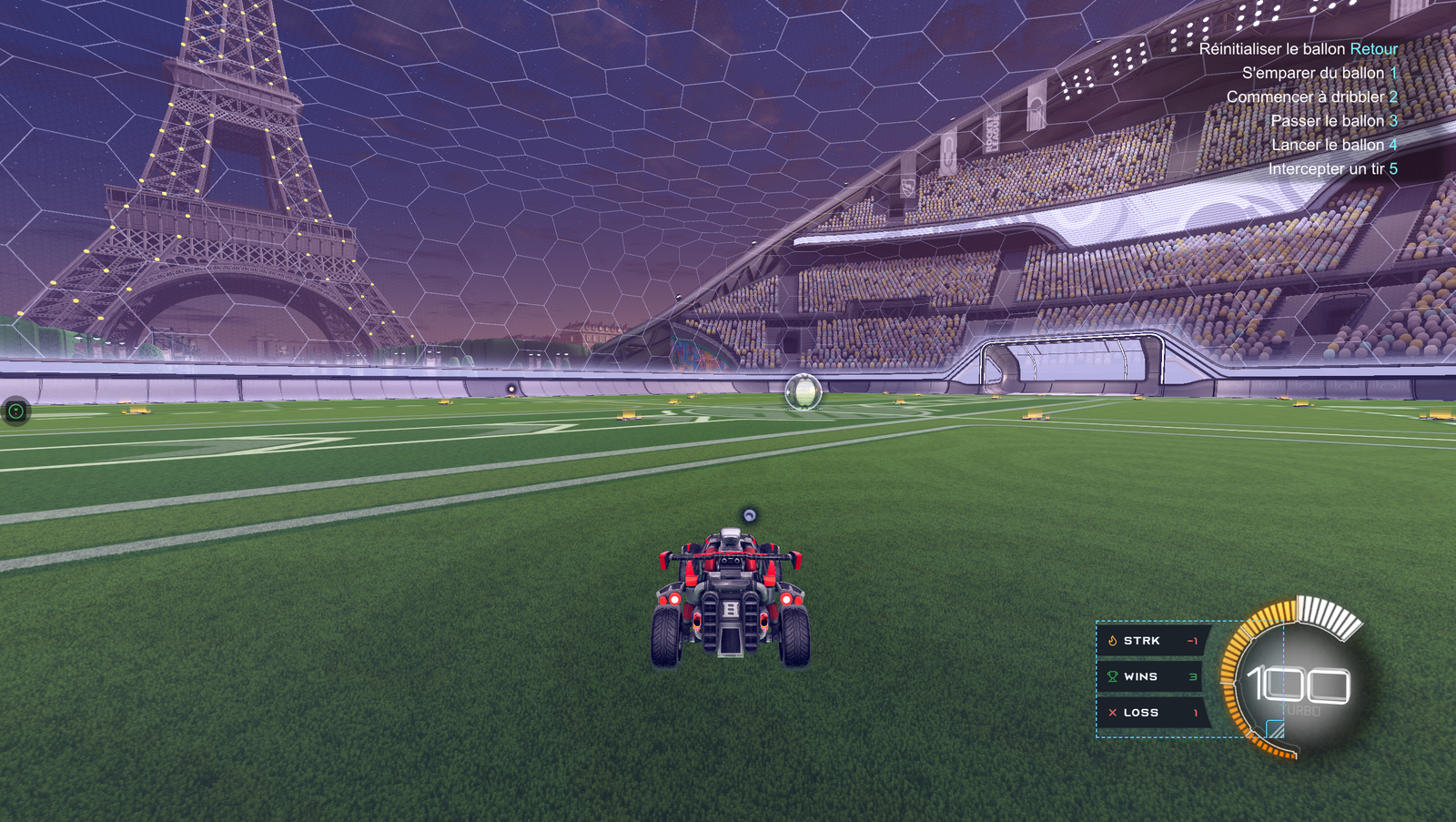
- A cyan dashed border shows up on all 4 edges — you finally see the actual hit zone (otherwise it's fully transparent).
- A chunky cyan grip appears in the bottom-right corner for mouse resizing.
- The HUD becomes interactive again (no longer click-through) — you can drag it with the mouse.
Drag to move
Left-click and hold anywhere on the HUD (except the grip), drag, release. The position is saved immediately.
Resize with the grip
Left-click and hold on the chunky cyan grip (bottom-right corner), drag to resize. Content (cards, icons, text) scales automatically along with the window — the scale is computed in CSS so the proportions stay correct.
Scale slider (50–250 %)
For precise control without touching the mouse:
- 50 % = compact HUD (200×150 px at scale 1).
- 100 % = default size (400×300 px).
- 250 % = highly visible HUD (1000×750 px).
The slider resizes the window proportionally from the top-left corner, so the content stays visually anchored while you drag.

Pixel-perfect placement (X / Y / W / H)
Below the slider, four numeric fields let you place the HUD pixel-perfect:
- X / Y — top-left corner position of the window, in physical pixels.
- W / H — width and height, in physical pixels.
The Step picker (1 / 5 / 10 / 50 px) adjusts the ± button increment.
Turn edit mode off
Uncheck Edit mode or right-click → Lock / unlock on the HUD. The HUD becomes:
- Click-through — mouse inputs pass to the game.
- Borderless — fully discreet, ideal for gameplay or streaming.
💡 Don't forget to turn edit mode off before playing — otherwise left clicks on the HUD won't reach the game.